Quiz AI: AI Homework Helper
- 4.5
- Rating
- 1.00M
- Installs
- Free
- Price

 Analysis by App-foxy
I spent time with Quiz AI: AI Homework Helper as a study companion, mainly to see whether its scan-first approach is genuinely useful or just a quicker way to get an answer. My overall impression is that it can be handy when I am stuck on a photographed exercise, but its value depends heavily on how I use the explanation afterward. It is an education app from INTSIG PTE, aimed at students who want help with schoolwork rather than a full replacement for a teacher, textbook, or structured course.
The app is free to install and is rated for Everyone, which makes it easy to try without committing money at the beginning. Its current version is 4.22.0.20260205 and it requires Android 10 or later. That compatibility point matters if you are using an older phone or tablet: the app may be a poor fit before you even reach the study features. On supported devices, the basic appeal is straightforward: capture a question, let the app interpret it, and use the resulting assistance to move forward.
I also noticed that the app has built a fairly large audience, with more than a million installs and an average rating of 4.5 from roughly 9.2 thousand ratings. Those figures suggest that the scan-and-help workflow is resonating with many users, although they do not guarantee that every answer will suit every subject, handwriting style, or level of difficulty. My experience was most positive when I treated the app as a second set of eyes rather than an unquestionable answer key.
You May Also Like

 Blood Strike: 2.5 Anniversary
Blood Strike’s Loadouts Turn Every Drop Into a Tactical Gamble
A close look at Blood Strike’s custom loadouts: how fast access to signature weapons reshapes its battle royale rhythm, rewards preparation, and narrows the gap between fights.

 Pandora - Music & Podcasts
Pandora’s Music Is Easy to Start, but Harder to Recover
Pandora’s strength is its low-effort path from a seed to a station. Its weak spot is how much confidence it asks you to place in connection, setup, and quiet recovery.

 8 Ball Pool
 Is Built on Rivalries, Rematches, and Routine
A close look at the rivalries, rematches, shared routines, and unanswered safety questions that turn a quick pool match into a persistent mobile community.

 Samsung Music
’s Quiet Strength Is Playing What You Already Own
Its reach comes less from spectacle than from dependable access to a personal library. That simplicity is both the app’s strongest retention engine and its ceiling.

 AccuWeather: Weather Radar
AccuWeather Review: A Quick, Clear Forecast for Everyday Decisions
For everyday plans, the best forecast is the one you can understand quickly. AccuWeather makes rain timing, radar, and local conditions easy to act on, with a few trade-offs.

 Hill Climb Racing
Why Hill Climb Racing Still Turns Crashes Into One More Run
A tiny car, a bumpy hill and one more upgrade: Hill Climb Racing keeps resurfacing because its simple chaos makes every near-miss feel personal.
More From Our News Desk



How Quiz AI fits into everyday studying
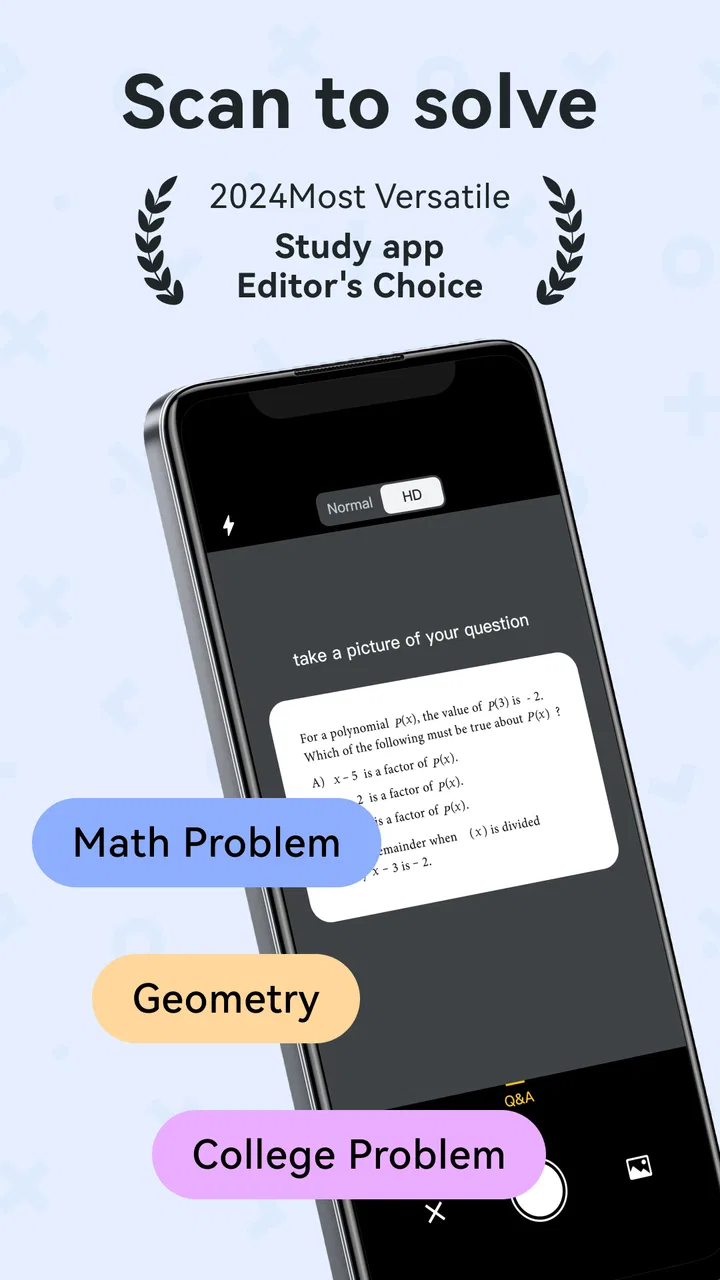
The most useful way to think about this app is as a bridge between a question on paper and a conversation about how to approach it. Instead of typing a long equation or copying a paragraph into a search box, I can point the phone at the material and begin from the image. That reduces the annoying setup that often makes students abandon a digital tool before receiving any help.
In a realistic evening study session, I might photograph a math problem from a workbook, inspect the response, and then ask for clarification about the step that confused me. The important part is not simply seeing a final result. I need to compare the method with the lesson I am learning, check whether the symbols were read correctly, and try a similar problem without looking. Used that way, the app saves time while still leaving me responsible for understanding the work.
Its broader identity as a study assistant also makes it more flexible than a narrowly focused calculator. A conventional calculator is excellent for checking arithmetic, but it usually does not help me interpret a word problem. A search engine can surface explanations, yet I have to choose the right result and translate my exact question into search terms. Quiz AI is more direct when the question is already in front of me and I want help with that particular item.
That convenience has a hidden trade-off: camera-based input is only as useful as the image and recognition. A crooked page, faint print, unusual notation, or crowded layout can change the problem before the solving process even begins. I found it safer to crop tightly, keep the page well lit, and inspect the captured question before trusting the response. This small habit is one of the biggest practical improvements a new user can make.
What the free starting point really offers
The most important cost distinction is that the app itself is free to install, while in-app purchases are listed from $0.99 to $299.99 per item. That range is wide enough that I would not treat “free” as a promise that every useful interaction will remain free. I would begin with the no-cost experience, test it on the subjects and question types I actually study, and only then consider whether any paid access delivers enough extra value.
This approach protects against a common mistake with AI study tools: paying because the first answer feels impressive, without checking whether the app improves learning over several sessions. A free answer can be valuable if it helps me identify a mistake and continue independently. A paid option is worthwhile only when it consistently saves meaningful time or provides a level of assistance I cannot get comfortably from my existing resources.
I would also pay attention to the purchase screen before confirming anything, especially if a younger student is using the device. The listed purchase range includes a very substantial upper end, so cost awareness is not a minor detail. Since the app is aimed at education and carries an Everyone rating, families may reasonably expect to supervise how it is used and how any optional spending is handled.
For a student who only needs occasional help, the free entry point is the strongest part of the value proposition. There is no need to buy immediately just to discover whether the camera workflow recognizes the material or whether the explanations match the student’s level. For someone planning to use it every day, the decision should be based on repeated usefulness, not on the excitement of the first successful scan.
Where the app saves time—and where it does not
The clearest benefit is reducing friction at the beginning of a problem. Typing a long expression, copying a multi-line exercise, or searching for the wording of a question can be tedious. A scan-based workflow lets me start with the actual page. That is especially helpful when I am reviewing several exercises and only need a nudge on a few of them.
It is also useful for checking my own work after I have attempted a problem. I can compare the app’s route with mine and look for the first point where the methods diverge. This is more educational than submitting every question before trying it. If my answer is wrong, the scan can help locate the issue; if my answer is right, the explanation can still reveal a shorter or clearer method.
Another non-obvious use is turning a vague feeling of being stuck into a precise follow-up question. Instead of asking for the entire solution again, I can focus on a particular transition: why a sign changed, why a formula applies, or how a word statement became an equation. That habit makes the AI more useful because it turns a one-shot answer into a small tutoring exchange.
However, the app does not remove the need for checking. AI-generated help can sound confident even when the input was misunderstood or the reasoning is unsuitable for the lesson. I would keep the original page beside the phone, verify the symbols, and test the method on a fresh example. For graded work, I would use it to learn and review rather than copy a response without understanding it.
How it compares with familiar alternatives
Compared with a standard search engine, Quiz AI is more convenient when the question is visual and specific. Search is still better when I want a broad lesson, several independent explanations, or a source written by a known educator. Searching also encourages me to see different approaches, while an AI assistant tends to present one immediate path.
Compared with a dedicated math solver, this app’s appeal is its wider study-assistant framing. A specialist tool may be preferable when I need advanced mathematical notation, graphing, or a highly focused symbolic workflow. Quiz AI makes more sense for a student who wants one place to start from photographed homework and ask follow-up questions in ordinary language.
Compared with a human tutor, the app is faster and more available for a quick question, but it cannot observe my broader learning habits or notice that I have misunderstood an entire topic. A tutor can adapt pacing, choose examples, and challenge me when I am guessing. Quiz AI is best at immediate support between lessons, not at replacing sustained teaching.
Compared with a textbook, the app is more responsive to the exact exercise in front of me, while the textbook usually provides a carefully organized sequence and stable explanations. I would use the textbook to learn the chapter and Quiz AI to get unstuck during practice. That combination is stronger than expecting either one to do everything.
Small workflow choices that improve the results
My first recommendation is to photograph one problem at a time whenever possible. A crowded page gives the recognition system more opportunities to confuse neighboring text, labels, or separate exercises. A tight crop also makes it easier for me to compare the original question with what the app appears to be solving.
My second recommendation is to attempt the problem before scanning it. Even a rough attempt gives me something to evaluate. I can ask whether the app used the same principle, identify the exact step I missed, and then redo the exercise without looking. Scanning first is faster, but it encourages passive consumption and makes it harder to tell whether I could solve a similar question alone.
My third recommendation is to treat follow-up prompts as a learning tool. Asking for a simpler explanation, a worked variation, or the reason behind one step is more valuable than repeatedly requesting the final answer. The app becomes much less useful if I use it only as an answer vending machine.
A fourth practical tip is to keep a short error log outside the app. After using the assistant, I would write down the mistake in my own words and note what clue should have alerted me next time. This turns a temporary solution into a reusable study resource and reduces the risk of forgetting the explanation as soon as the homework is finished.
Where I felt friction
The camera-first design is convenient, but it is not equally comfortable for every assignment. Long reading passages, diagrams with many labels, handwritten notes, and pages with mixed exercises demand more care than a clean printed equation. If I already have the question in editable text, typing or pasting it into a tool designed for that format may be faster.
There is also a difference between receiving help and receiving the kind of help a teacher expects. A student may understand the answer but still be marked down for using a method that has not been taught yet. I would compare the app’s approach with class notes and ask for an explanation that matches the current lesson. This is particularly important when a course requires a specific format or sequence of steps.
The purchase structure is another point where I would slow down. Free installation is reassuring, but the presence of optional items reaching $299.99 means the app should be approached with the same care as any other service offering paid upgrades. I would read the exact terms shown in the app and avoid assuming that every feature or amount of use is included at no cost.
Device compatibility can also decide whether the app belongs in your study routine. The minimum requirement of Android 10 excludes older Android devices. If your phone cannot run that version, the practical alternatives are a browser, a textbook, a calculator, or another compatible study tool—not a workaround inside this app.
Who is most likely to get real value
I think Quiz AI is a good match for students who regularly work from printed worksheets and want quick assistance without retyping every question. It is also useful for independent learners who are comfortable questioning an answer, checking the original input, and practicing again afterward. The free starting point makes it reasonable to test before making any spending decision.
It may suit parents helping with homework as well. Instead of immediately giving a child the answer, a parent can use the app to identify a possible route and then turn that route into a conversation. The parent still needs to supervise the explanation, but the scan can reduce the time spent deciphering an unfamiliar exercise.
Students who are easily tempted to copy answers should be cautious. The faster the solution appears, the easier it is to skip the difficult but important part: attempting, checking, and repeating. For those users, a textbook, teacher, or guided course may be a better primary resource, with the app reserved for hints after genuine effort.
I would also skip it as a main tool if your work depends on advanced notation, detailed diagrams, or long-form writing where camera recognition is likely to become the bottleneck. In those cases, a subject-specific application or direct human feedback may offer more dependable value. The app is strongest in the middle ground between a quick question and a full lesson.
My final value judgement
Quiz AI: AI Homework Helper earns its place as a convenient first stop for photographed homework and quick study questions. I like the way it removes typing from the process, and I found the scan-then-question workflow more useful when I used it to inspect mistakes rather than simply collect final answers. That makes it a practical supplement for revision, especially when a teacher or tutor is not immediately available.
The free installation makes trying it low risk, but the in-app purchase range means I would not recommend paying until the free experience has proved useful across your actual subjects. The app’s value is not automatic: clear images, thoughtful prompts, and independent practice make a major difference. Without those habits, it can become a shortcut that feels productive while leaving understanding behind.
My recommendation is to try it if you want a fast education assistant for printed exercises and are willing to verify what it tells you. Keep a textbook or class notes nearby, crop images carefully, ask about the step you do not understand, and redo the problem afterward. If you want a complete curriculum, guaranteed teacher-style guidance, or specialist support for complex notation, choose a more focused alternative. For everyday “I am stuck on this one question” moments, though, this app offers a useful and accessible starting point.
FAQs for Quiz AI: AI Homework Helper
01What is Quiz AI: AI Homework Helper?
Quiz AI: AI Homework Helper is an intelligent mobile application designed to assist students with their homework and study needs. It uses advanced AI algorithms to provide instant answers, detailed explanations, and personalized quizzes, making learning more interactive and efficient for users of all ages.
02How does Quiz AI ensure the accuracy of its answers?
Quiz AI utilizes a sophisticated AI model trained on a vast database of educational content. It continuously updates its resources to provide accurate and reliable answers. Additionally, the app includes a feedback mechanism, allowing users to report inaccuracies, which are reviewed and corrected promptly.
03Is Quiz AI suitable for all educational levels?
Yes, Quiz AI is designed to cater to a wide range of educational levels, from elementary to college students. The app customizes its responses based on the user's academic level, ensuring that the content is appropriate and beneficial for their specific learning needs.
04Can Quiz AI help with subjects beyond math and science?
Absolutely. Quiz AI covers a broad spectrum of subjects, including math, science, history, literature, and more. The app's versatility allows it to assist students across various disciplines, providing comprehensive support for a well-rounded educational experience.
05Is there a cost associated with using Quiz AI?
Quiz AI offers a freemium model, meaning the app is free to download with basic features accessible at no cost. However, there are premium features and subscriptions available that unlock additional functionalities, such as advanced quizzes and ad-free usage, providing an enhanced learning experience.
Pros
- Accurate and fast homework solutions.
- User-friendly interface with intuitive navigation.
- Supports a wide range of subjects.
- Offers detailed explanations for answers.
- Regular updates with new features.
Cons
- Requires internet for full functionality.
- Limited offline access to resources.
- Occasional ads can be intrusive.
- Premium features behind a paywall.
- Complex queries may need manual input.

Quiz AI: AI Homework Helper
Gallery